






Customer Checkout

Your customer enters their payment details on your WooCommerce checkout page.

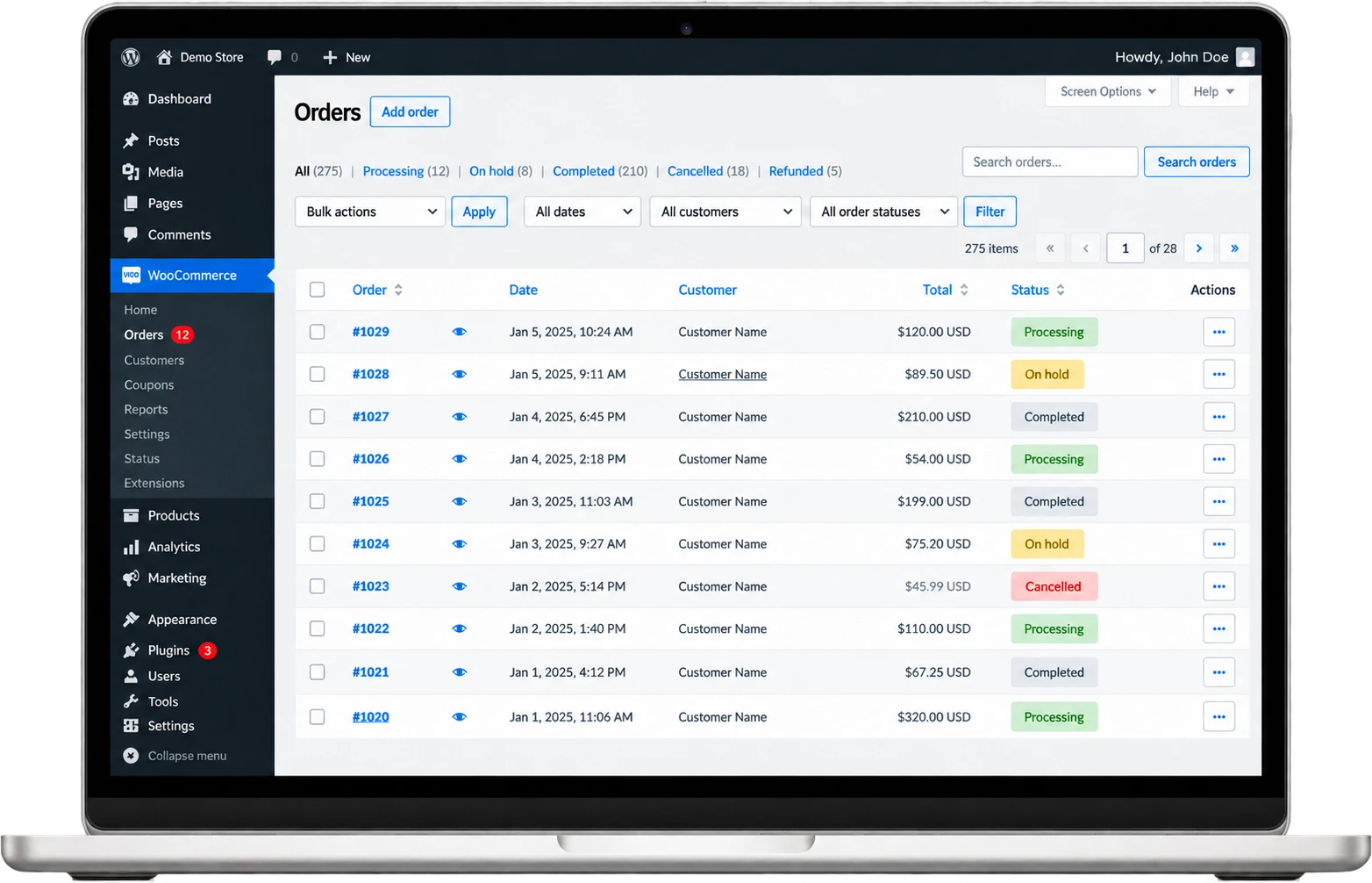
Take major credit and debit cards, eChecks, and digital wallets through a gateway that works with WooCommerce.







Your store. Your gateway. Your merchant account.
Everything you need to run your WooCommerce store and get paid.

Sell subscriptions, memberships, and installment plans with WooCommerce Subscriptions and a compatible gateway.

Keep shoppers on your store from cart to payment with an integrated gateway extension.

Pair WooCommerce with gateway fraud tools, like the Authorize.net Advanced Fraud Detection Suite, to flag risky orders.

Help repeat customers check out faster with saved cards that the gateway tokenizes and stores.

Process orders, update products, and check sales from your phone with the WooCommerce mobile app.

Track sales, orders, and key store metrics from your WooCommerce dashboard.
WooCommerce connects to leading payment gateways and offers a REST API and webhooks for custom builds.
Your customer enters their payment details on your WooCommerce checkout page.
Your gateway extension securely sends the transaction to the card issuing bank.
The bank approves the transaction and WooCommerce updates the order status.
Funds settle to your merchant account on your normal schedule.


From your first sale to enterprise volume, WooCommerce grows with you.

Accept secure online payments on your WooCommerce store.

Manage recurring billing, memberships, and repeat orders.

Get a merchant account built for regulated and hard-to-place industries.

Build and launch WooCommerce stores for clients with secure processing in place.


WooCommerce is a free, open-source eCommerce plugin for WordPress, published by Automattic and active on more than 7 million sites. It turns a WordPress site into an online store with a product catalog, cart, checkout, order management, and reporting. WooCommerce payment processing runs through a gateway extension that sends each checkout transaction to your merchant account and processor.
No. WooCommerce is the store and shopping cart platform, not a payment gateway. To accept cards, you install a WooCommerce payment gateway extension, such as WooPayments, the Authorize.net extension, or an NMI plugin, and connect it to a merchant account and processor. AllayPay sets up the merchant account and connects it to a gateway that works with WooCommerce.
Yes. WooCommerce lets you choose your payment provider from a wide range of gateway extensions, so you are not required to use WooPayments. When you open a WooCommerce merchant account with AllayPay, you hold your own merchant ID (MID), and AllayPay connects it to a compatible gateway such as Authorize.net or NMI.
AllayPay merchant accounts connect to WooCommerce through Authorize.net or NMI. The Authorize.net extension is developed by SkyVerge and sold on the WooCommerce Marketplace for $79 per year. NMI does not publish its own WooCommerce plugin, so NMI connections use third-party plugins from WordPress.org, such as the Pledged Plugins NMI gateway.
Authorize.net covers eChecks, subscriptions, and saved cards for WooCommerce in one $79-per-year extension built by SkyVerge, once the eCheck and CIM services are enabled on your Authorize.net account. NMI connects through third-party plugins; the free Pledged Plugins NMI gateway handles one-time card payments, but Subscriptions, ACH, saved cards, and 3D Secure 2 require its paid Enterprise version. AllayPay offers both gateways.
WooCommerce accepts the payment methods your gateway extension supports. The Authorize.net extension takes credit and debit cards and eChecks, which require the eCheck service on your Authorize.net account. Apple Pay on that extension needs developer setup and does not work with the Cart and Checkout Blocks. The free Pledged Plugins NMI gateway takes cards, while ACH eCheck payments require its paid Enterprise version.
WooPayments is the native payment extension from Woo, powered by Stripe. You do not have to use it. WooPayments is free to install and costs about 2.5% to 2.9% plus 30 cents per card transaction, per Woo’s pricing page. Woo prohibits several business types on WooPayments, including research peptides, vapes, firearms, adult content, and multi-level marketing. If your business is restricted or prohibited, you can connect a merchant account through a third-party gateway extension instead.
Yes. WooCommerce recurring payments run through WooCommerce Subscriptions, a paid add-on from Woo that costs $279 per year and handles subscriptions, memberships, and installments. Automatic renewals require a supported gateway; manual renewals work with any gateway, and customers receive an invoice when payment is due. The Authorize.net extension supports all WooCommerce Subscriptions features, while the Pledged Plugins NMI gateway supports Subscriptions only in its paid Enterprise version.
Yes. WooCommerce can store customer payment methods through a supported gateway. The Authorize.net extension saves cards as customer profiles on Authorize.net, so the gateway stores card data instead of your website. This feature requires the Customer Information Manager (CIM) service on your Authorize.net account. On the Pledged Plugins NMI gateway, saved cards are an Enterprise-version feature.
Yes. WooCommerce high-risk stores can accept cards through an approved merchant account and a third-party gateway extension, since WooPayments prohibits many of these business types. AllayPay specializes in high-risk and hard-to-place industries, including nutraceuticals, research peptides, vape and e-cig, firearms, adult, and drop shipping.
Yes. CBD stores can run on WooCommerce, but not through WooPayments: Woo’s policy says merchants selling CBD must use Square or Viva Wallet. The other option is a dedicated merchant account. AllayPay specializes in CBD and Delta 8 merchants and connects approved accounts to WooCommerce through a third-party gateway extension, so your store keeps its existing checkout.
The core WooCommerce plugin is not PCI certified because it does not handle cardholder data or process payments directly, and Woo states PCI DSS compliance is ultimately the store owner’s responsibility. Your gateway sets most of your scope: the Authorize.net extension’s Lightbox payment form supports SAQ A, while its Inline form meets SAQ A- EP. Your site still serves the checkout page, so PCI DSS still applies.
Yes. WooCommerce refunds work from the admin with a supported gateway. The Authorize.net extension processes credit card refunds and voids from the WooCommerce admin, so you do not need to log in to a separate gateway account. Automatic refunds do not work for eCheck orders, and Authorize.net does not accept partial voids. The Pledged Plugins NMI gateway supports full or partial refunds from the WordPress dashboard.
Yes. WooCommerce includes a REST API that connects your store to outside systems using API keys. Webhooks are managed under WooCommerce > Settings > Advanced > Webhooks or through the REST API. Webhook topics cover orders, customers, products, coupons, and custom actions, and each delivery can include a hash generated from a secret key so your system can verify the payload.
Yes. Woo Enterprise is Woo’s program for high-volume stores, with expert-supported site migration, a dedicated Customer Success Manager, custom WooPayments rates, and priority technical support. Woo says WooCommerce can handle over $100 million in annual sales and tens of thousands of daily orders. Hosting, extensions, and your gateway still determine how a specific store performs.
WooCommerce itself is free: the core plugin costs nothing to download and Woo lists a $0 platform fee. Your costs come from your gateway, extensions, and merchant account. Common add-ons include the Authorize.net extension at $79 per year and WooCommerce Subscriptions at $279 per year. To price your merchant account and gateway, request a free quote from AllayPay.
AllayPay, Inc. is a Plantation, Florida payments company operating since 2016 and a registered ISO/MSP of Fifth Third Bank, N.A. AllayPay serves more than 1,000 active merchants, processes over $1.1 billion a year, and specializes in high-risk and hard-to-place industries. WooCommerce merchants get a dedicated U.S.-based account manager, chargeback monitoring, gateway setup, and integration support.
Getting started with WooCommerce through AllayPay takes three steps: request a free quote, complete underwriting for your WooCommerce merchant account, and connect the approved account to a WooCommerce-ready gateway. AllayPay offers same-day approvals for many businesses and boards U.S. merchants only. After approval, we help you configure checkout, recurring billing, and saved payment methods.
To connect Authorize.net to WooCommerce, install the Authorize.net extension, then copy your API Login ID and Transaction Key from the API Credentials & Keys page in your Authorize.net account. Paste them under WooCommerce > Settings > Payments > WooCommerce Authorize.Net and save. A Signature Key is needed only for webhooks, and testing uses a separate Authorize.net sandbox account with its own login.
Get Started
Tell us about your business and we'll match you with the right banking partner and the right pricing, usually within one business day.
 No long-term contracts. Cancel anytime.
Service and support at a fraction of the cost.
Dedicated U.S.-based account manager included.


