








Customer Pays

Your customer pays online, in store or by invoice through your merchant account.

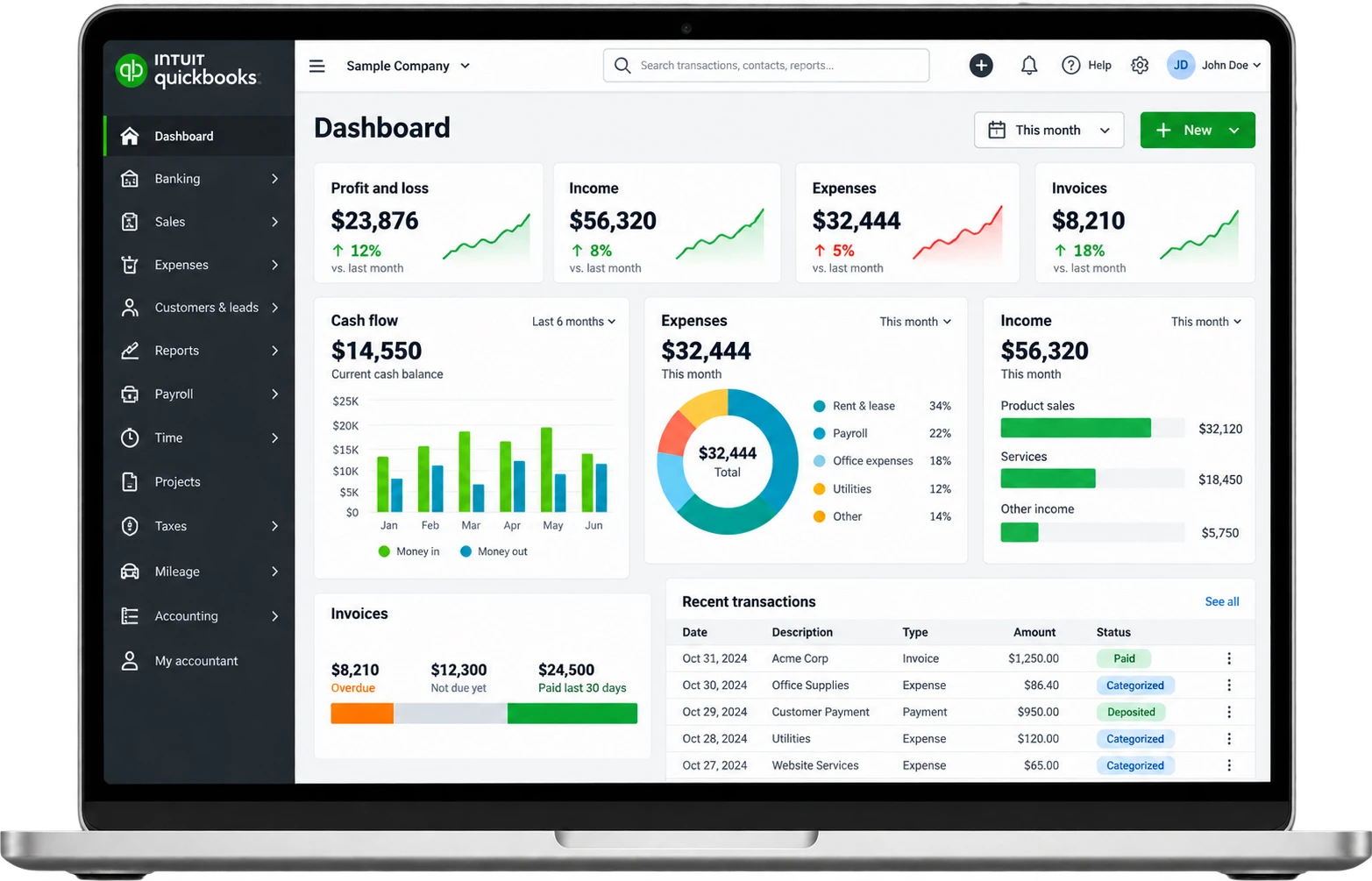
Record major credit cards, ACH eCheck and popular digital wallet payments in QuickBooks.







Seamless payments. Organized books.
Everything you need to get paid and keep your books current.

Create custom invoices, track their status and send payment reminders.

Schedule recurring invoices for clients you bill on a regular cycle.

Bank Feeds

Snap photos of receipts and sort expenses from anywhere.

Create invoices and check your business activity from the QuickBooks mobile app.

Run profit and loss, balance sheet and expense reports in a few clicks.
QuickBooks connects with hundreds of business apps and gives developers APIs and SDKs for custom integrations.
Your customer pays online, in store or by invoice through your merchant account.
The issuing bank reviews and approves the transaction.
The payment record syncs to QuickBooks through your connected gateway, POS or app.
Funds settle to your bank account, and you match the deposit in QuickBooks.


From solo owners to enterprise teams, QuickBooks grows with you.

Bring online store sales from Shopify, Amazon, eBay or Etsy into your books.

Record point of sale payments in QuickBooks for one view of your revenue.

Bill repeat clients on schedule with recurring invoices.

Track phone, mail and invoice payments alongside every other sale.


QuickBooks is accounting software from Intuit. Businesses use it for invoicing, bookkeeping, expense tracking, payroll and financial reporting. It comes in two main versions: QuickBooks Online and QuickBooks Desktop. For new U.S. customers, Intuit now sells QuickBooks Desktop as QuickBooks Desktop Enterprise. QuickBooks payment processing works one of two ways: through Intuit’s own QuickBooks Payments service, or through a separate merchant account whose payments sync into QuickBooks through a gateway or app.
No. QuickBooks is accounting software, not a merchant account or payment gateway. Intuit also offers its own processing service, QuickBooks Payments, but you can use QuickBooks for accounting with a separate merchant account. A separate merchant account does not run through QuickBooks Payments. AllayPay helps businesses get the right merchant account and connect their payment records to QuickBooks through a compatible gateway or sync app, such as NMI Bill Connect.
QuickBooks can record credit and debit card sales, ACH payments, eChecks and digital wallet payments. The payment types you can accept come from your processor: QuickBooks Payments if you process with Intuit, or your merchant account and gateway if you process elsewhere.
Yes. Intuit’s Shopify, Amazon, eBay and Etsy connectors bring orders and payouts from those sales channels into QuickBooks Online. Those connectors record each platform’s own payouts, not transactions from an outside merchant account. Sales on your own website that run through a merchant account sync to QuickBooks through your gateway or a third-party sync app instead.
Yes. QuickBooks Online integrates with more than 750 business apps, according to Intuit, though third-party integrations are not available on the QuickBooks Free plan. Developers can also build custom connections with Intuit’s QuickBooks Online Accounting API and Payments API, which include official SDKs. The Payments API processes through QuickBooks Payments, so a separate merchant account connects through a gateway or sync app instead.
Authorize.net and NMI connect to QuickBooks through add-on apps, because the native Pay Now option on QuickBooks invoices works only with QuickBooks Payments. NMI Bill Connect, announced January 23, 2025, links the NMI gateway to QuickBooks Online and QuickBooks Desktop. For Authorize.net, apps such as Shuttle add a payment link to QuickBooks Online invoices and record each payment against its invoice. AllayPay offers both gateways.
Yes. QuickBooks Online lets you schedule recurring invoices for clients you bill on a regular cycle. QuickBooks autopay for recurring invoices requires QuickBooks Payments, so with a separate merchant account, automatic recurring card charges depend on your gateway and how it connects to QuickBooks. NMI Bill Connect, for example, supports recurring credit card and ACH payments through NMI’s tokenized Customer Vault.
Yes. QuickBooks lets you create custom invoices, track their status and send payment reminders. Third-party apps can add an external payment link to QuickBooks Online invoices, so customers can pay through your merchant account.
Yes. QuickBooks Online Advanced supports up to 25 users at a $340 monthly list price, and Intuit also sells QuickBooks Desktop Enterprise, which supports up to 40 users on its Diamond tier, and Intuit Enterprise Suite for multi-entity businesses. Smaller businesses can start with QuickBooks Solopreneur or QuickBooks Online Simple Start and move up as they grow.
Yes. High-risk merchants can use QuickBooks to manage their books, because QuickBooks accounting is separate from payment processing. Processing runs through your approved merchant account, not QuickBooks itself. AllayPay specializes in high-risk industries such as CBD and Delta 8, nutraceuticals, vape and firearms, and offers the NMI and Authorize.net gateways, which connect to QuickBooks through apps such as NMI Bill Connect and Shuttle.
The Intuit Payments Acceptable Use Policy, effective June 27, 2024, bars merchant payment processing for categories including marijuana and CBD, adult content and services, credit repair, multi-level marketing and travel. Businesses in those categories can still use QuickBooks for accounting. AllayPay specializes in several of them, including CBD and Delta 8, adult, credit repair, MLM and jet charter and travel, and can review them for a separate merchant account.
Connecting an outside merchant account to QuickBooks usually involves three costs: a paid QuickBooks plan (QuickBooks Free does not support third-party integrations, and QuickBooks Online Simple Start lists at $38 per month), any sync app (Shuttle offers a free plan and a $16 per month Basic plan) and processing fees. Request a free quote from AllayPay to price processing for your industry.
QuickBooks Payments charges 2.99% for invoiced card and digital wallet payments, 2.5% for in-person payments with a card reader or Tap to Pay on iPhone and 3.5% for keyed-in cards, based on Intuit’s published rates as of September 18, 2026. Intuit lists no setup costs, and instant deposit costs 1.75%. These rates apply only to QuickBooks Payments, not to a separate merchant account.
AllayPay gives QuickBooks users a merchant account built for high-risk and hard-to-place industries, including categories QuickBooks Payments prohibits, such as CBD and MLM. AllayPay, Inc. is based in Plantation, Florida, has operated since 2016, serves more than 1,000 active merchants and processes over $1.1 billion a year. AllayPay offers the Authorize.net, NMI and Fluid Pay gateways, chargeback monitoring and a dedicated U.S.-based account manager who helps connect your payments to QuickBooks.
Start by requesting a free quote from AllayPay with your business type, website, expected monthly volume and QuickBooks version (Online or Desktop). AllayPay offers same-day approvals for many businesses. Once your merchant account is approved, we set up your gateway and help connect your online, in-person, invoice or recurring payments to QuickBooks.
Get Started
Tell us about your business and we'll match you with the right banking partner and the right pricing, usually within one business day.
 No long-term contracts. Cancel anytime.
Service and support at a fraction of the cost.
Dedicated U.S.-based account manager included.


